![Ramp_Logo_Saphire-Nov-06-2023-11-33-51-7748-PM.png]](https://support.ramprfid.com/hs-fs/hubfs/Ramp_Logo_Saphire-Nov-06-2023-11-33-51-7748-PM.png?height=39&name=Ramp_Logo_Saphire-Nov-06-2023-11-33-51-7748-PM.png)
If you need to update your password for the Ramp Web Portal, follow the steps below:
Step 1: Log In
Sign in to your Locafi account using your current username and password.
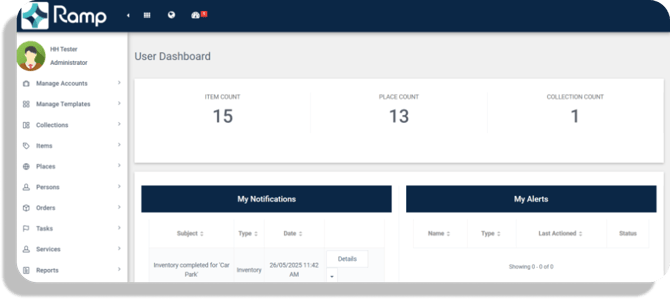
Step 2: Open Your Profile
Once logged in, click the Menu button at the top of the page and select Profile.
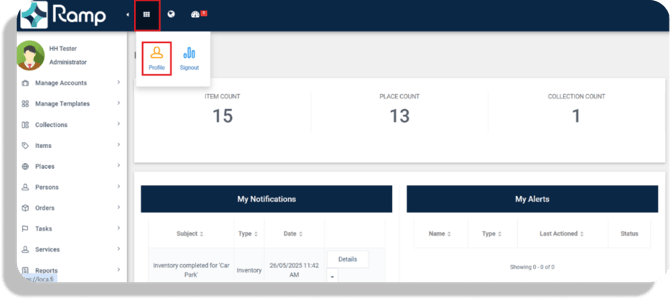
Step 3: Access Password Settings
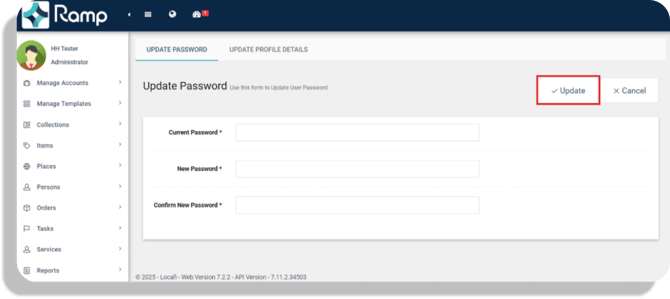
Click Update Password.
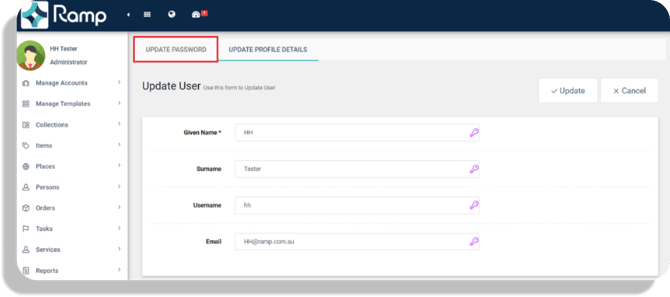
Step 4: Enter Your New Password
- Enter your current password.
- Enter your new password.
- Re-enter your new password to confirm it.
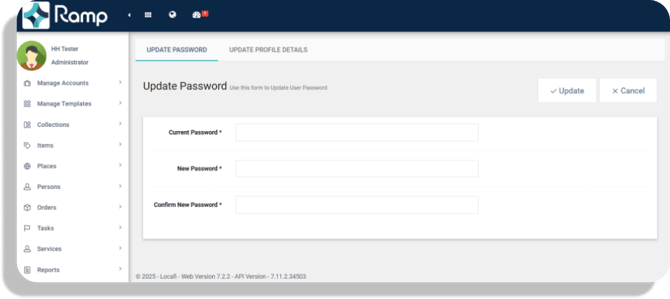
Step 5: Save Changes
Click Update to save your new password.
Your password has now been updated and can be used the next time you log in to the Ramp Web Portal.
Troubleshooting
If you have forgotten your current password or are unable to log in, please contact your system administrator or support team for assistance.