![Ramp_Logo_Saphire-Nov-06-2023-11-33-51-7748-PM.png]](https://support.ramprfid.com/hs-fs/hubfs/Ramp_Logo_Saphire-Nov-06-2023-11-33-51-7748-PM.png?height=39&name=Ramp_Logo_Saphire-Nov-06-2023-11-33-51-7748-PM.png)
This guide shows you how to raise a repair request (RMA) for a faulty Chainway handheld reader and print the return slip that must travel with it. Chainway devices are repaired by Ramp in-house, so they come straight to Ramp.
If your device is a CipherLab, follow [How to return a CipherLab device for repair] instead. It goes to a different address.
Before you start
You will need:
- The serial number printed on the label on the back of the device (for example,
HC72BE220600033). If the label is unreadable, the serial is also shown on the device's page under Hardware. - A printer, or access to one, for the return slip.
- Packaging. Reuse the original box if you still have it.
Steps
1. Open the RMA form.
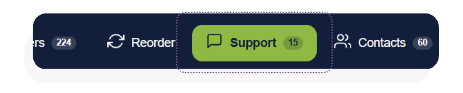
Navigate to the Support tab in the portal and select +RMA Request.
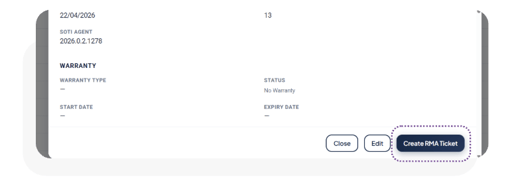
Similarly, you can start the same process in the Devices tab by selecting a device, followed by Create RMA Ticket.
2. Enter Serial Number
Type in the serial number of the device and select the correct device. Once selected, the portal will fill in the remaining details of the device automatically, including warranty end dates and current status.
Check that the device shown is the one in your hand before continuing.
- If you see "Serial number not found": recheck the characters typed in. Otherwise if it still fails, the device may not be registered so it is recommended to raise a support ticket rather than sending in the device without an RMA.
- If you see "The device already has an open RMA": Someone has already submitted an RMA request for the device. Open the existing RMA rather than creating a new one.
Once the device is selected, the correct return address will also be displayed on the form for reference.
3. Contact Information
Enter the name and email of the person to contact about the repair. Updates go to this address, so use a monitored mailbox rather than a personal one if the reporter may be on leave.
4. Identify Issues
Tick every issue that applies:
- Won't Turn On: Device is unable to be turned on when charged or plugged in
- Broken Screen: There is visible damage to the screen or the screen is malfunctioning.
- Note that some devices contain a screen protector so please confirm if the screen protector is damaged or the screen before submitting.
- RFID Scan Not Working: The device is not scanning RFID tags during normal usage.
- Barcode Scan Not Working: The device is not scanning barcodes during normal usage.
- Missing Screws: Certain screws are loose or missing and so the device is not securely screwed together.
- Screw Inserts Pulled Out: There is visible damage to the screw areas so the device is loose and not secured.
- Not Charging: Device is not retaining charge or charging when plugged in.
- Broken/Missing RFID Module Clip: The retaining clip on the RFID module is snapped.
- Broken/Missing Trigger Clip: The retaining clip on the trigger is broken.
- Other
If you select Other, describe the fault in the box that appears. Tick more than one where relevant.
A device that won't charge and has a cracked screen should have both ticked, because it changes how the repair is quoted.
Additional information such as context as to how the issue was caused or the circumstances leading up to that issue can be recorded in the Additional Information section.
5. Submit and Ship
Once you've correctly filled out all the details, select Submit. The portal creates your RMA ticket and immediately offers a return slip to print.
Print the slip and put it in the box with the device. The slip carries a scannable barcode that logs the device in the moment it reaches our workshop. Without it, the device sits unidentified and the repair is delayed.
Pack the device and post it to the address on the slip:
RAMP RFID Solutions
Unit 8, 8-10 Burrows Road
St Peters NSW 2044
Remove the battery only if instructed by the courier. Include any accessory that is part of the fault. If the trigger clip is broken, send the clip.