![Ramp_Logo_Saphire-Nov-06-2023-11-33-51-7748-PM.png]](https://support.ramprfid.com/hs-fs/hubfs/Ramp_Logo_Saphire-Nov-06-2023-11-33-51-7748-PM.png?height=39&name=Ramp_Logo_Saphire-Nov-06-2023-11-33-51-7748-PM.png)
This guide shows you how to RFID labels, additional handheld readers, printers and other RFID hardware through the portal.
The labels can either be ordered blank or ordered with printing with a pre-approved template.
Steps
1. Open the Reorder Catalogue
Navigate to the Reorder tab.
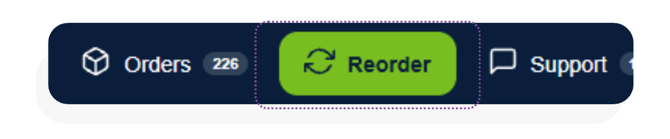
Navigating to the RFID tags tab will list all the available printable tags, as well as blank tags. Navigating to the Hardware tab will list all the available devices and hardware that can be ordered from Ramp.
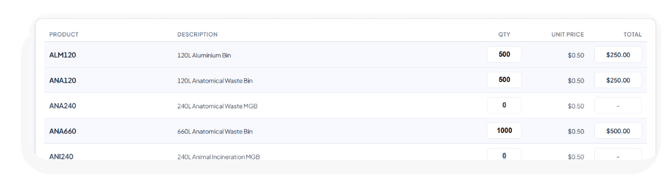
2. Set Quantities
Enter the quantity for each that you require.
3. Special Instructions
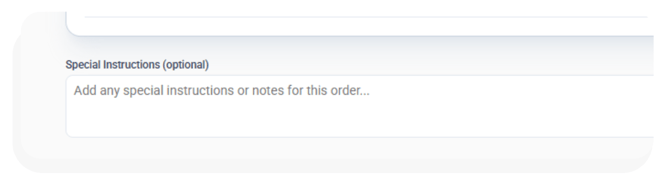
Use the special instructions box to specify any specific details about the order, including delivery address and timeline, and additional context since the quotes will need to be manually reviewed by a person before approval and shipment.
4. Submit and Track
Once submitted, your order will appear under Orders and await a quote from Ramp. Once approved, you can review the details of the order and its progress.
Steps
- Awaiting Quote / Under Review: Ramp prices the order and checks the specifications. We may come back with questions about the site or the intended use.
- In Progress: You have a quote that can be approved and transitioned to a purchase order.
- Current Order: The order is confirmed and being fulfilled.
- Completed: The order is delivered and invoiced.