![Ramp_Logo_Saphire-Nov-06-2023-11-33-51-7748-PM.png]](https://support.ramprfid.com/hs-fs/hubfs/Ramp_Logo_Saphire-Nov-06-2023-11-33-51-7748-PM.png?height=39&name=Ramp_Logo_Saphire-Nov-06-2023-11-33-51-7748-PM.png)
The Keonn AdvanSafe-200 Store Entrance Security System detects whether an RFID tag passing through the gates is active or inactive.
If an active tag is detected, the system’s built-in alarm is triggered and the item is automatically marked as “Stolen” in the Ramp Portal.
Viewing Stolen Items
-
Log in to the Ramp Portal.
-
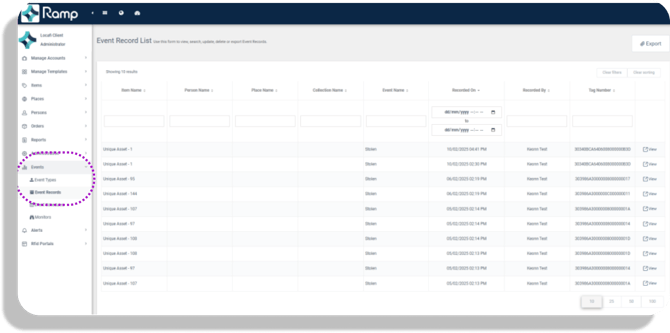
Navigate to Events → Event Records.
-
This page displays:
-
The time the item passed the reader
-
The specific reader that detected it (useful if multiple entrances are monitored)
-
-
Select View to see detailed information about the stolen item.
Exporting Stolen Items
-
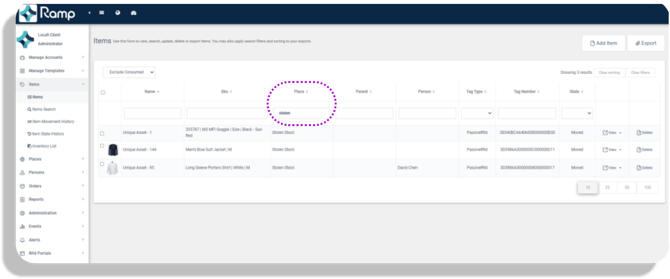
In the Ramp Portal, go to Items → Items.
-
In the Place field, search for “Stolen.”
-
Click Export to download a report of all items marked as stolen.