
A device must be licensed before it can scan. If scanning pages show Device not licensed, check the licence.
Write down the Device ID from the licence page. Support will ask for it when you contact them.
Open the Licence Page
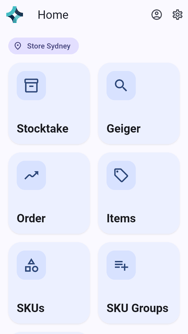
On the home screen, tap Settings (the gear at the top right).
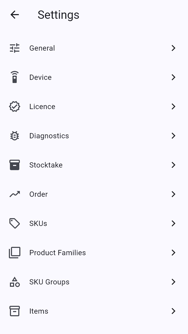
Tap Licence.
Check the Licence Details
The licence page shows:
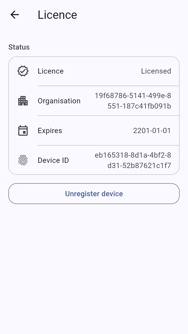
- Licence: Licensed or Not licensed.
- Organisation: the company the licence belongs to.
- Expires: when the licence runs out.
- Device ID: this device's identifier. Quote it when you contact support.
Register an Unlicensed Device
- If the device shows Not licensed, tap Register device.
- If that fails, or the licence has expired, contact support with the Device ID.